





The verdict
Our Quick Picks
Cross-referencing AI recommendations across ChatGPT, Claude, Gemini, and AI Overviews reveals a strong consensus for specialized, local-first, and privacy-focused email clients over traditional enterprise giants. When navigating frequent cloud outages, platforms like Fastmail and eM Client lead the pack for their unmatched speed, offline capabilities, and independence from major tech ecosystems.
- 1Best Overall for Reliability & PrivacyFastmail
A blazing-fast, ad-free email service with bulletproof multi-data-center backups.
- 2Best for Heavy Offline UseeM Client
A local-first powerhouse designed to handle massive archives and complex offline searches.
- 3Best for Inbox Zero EnthusiastsSuperhuman
A premium, keyboard-shortcut-driven client that uses AI to accelerate email triage.
- 4Best Native Client for MacMimestream
A lightning-fast native macOS client built specifically for the Gmail API.
- 5Best Microsoft 365 AlternativeZoho Mail
A robust, ad-free business email platform tailored for small-to-medium teams.
- 6Best Open-Source ClientThunderbird
A highly customizable, free application perfect for privacy advocates.
Side by side
At a Glance
| Specialty | AI Visibility |  ChatGPT |  Claude |  Gemini |  Google AI Overviews |
|---|---|---|---|---|---|
| Best Overall for Reliability & Privacy | 46 | ● | ● | ● | ● |
| Best for Heavy Offline Use | 33 | ● | ● | ● | ● |
| Best for Inbox Zero Enthusiasts | 35 | ● | ● | ● | ● |
| Best Native Client for Mac | 32 | ● | ● | ● | ● |
| Best Microsoft 365 Alternative | 34 | ● | ● | ● | ○ |
| Best Open-Source Client | 29 | ● | ● | ○ | ● |
| Best for Smart Inbox Management | 37 | ● | ○ | ● | ● |
Fastmail
fastmail.comBest forSmall businesses and privacy-conscious professionals who prioritize email speed and reliability over integrated document suites.
AI Visibility · how often AI recommends it for this topic
46/ 100
Covered by 4 of 4 AI assistants
- ChatGPT
- Gemini
- Claude
- Google AI


Unmatched speed and reliability. Fastmail is a privacy-focused, ad-free email service designed for users who want speed and uptime without the bloat of a full productivity suite. It is highly regarded by small businesses and individual professionals for its lightweight, distraction-free interface and standards compliance. Because it focuses purely on core communication—email, contacts, and calendars—it avoids the sluggishness often associated with heavy enterprise platforms.<br><br>Bulletproof data infrastructure. As noted in the guide to the Best Private Email Providers in 2026, Fastmail excels because of its robust multi-data-center backup system. If one server node experiences an issue, traffic is seamlessly routed to another, virtually eliminating the downtime that plagues larger, more complex ecosystems. This makes it an ideal alternative for companies looking to maintain productivity during massive cloud outages.<br><br>Privacy as a core feature. Fastmail operates on a strict privacy-first model, ensuring that user data is never scanned for advertising purposes. While it lacks an integrated office suite like Google Docs or Microsoft Teams, its specialized focus allows it to deliver a superior, rapid-fire email experience that simply works when you need it most.
What AI consistently says
- +Distraction-free and blazing fast interface
- +Strong reliability and verified uptime record
- +Privacy-oriented operations with no ad tracking
- +Excellent support for custom domains
- +Lightweight footprint ideal for small businesses
What AI doesn't mention
- −Lacks an integrated full office suite for document editing
- −Not ideal for large organizations needing deep enterprise compliance controls
eM Client
emclient.comBest forPower users, researchers, and professionals who manage massive email archives and require flawless offline access.
AI Visibility · how often AI recommends it for this topic
33/ 100
Covered by 4 of 4 AI assistants
- ChatGPT
- Gemini
- Claude
- Google AI
Built for massive mailboxes. eM Client is a robust, local-first desktop email client for Windows and Mac that is engineered specifically for power users. It frequently emerges as the strongest option for handling massive email archives and complex local searches. Unlike browser-based webmail interfaces that struggle under the weight of thousands of emails, this dedicated application caches data locally, ensuring instant responsiveness regardless of internet connection quality.<br><br>Advanced local search capabilities. High-volume users repeatedly praise eM Client for its granular, lightning-fast offline search. By indexing emails directly on the machine, it supports complex boolean operators and deep filtering that cloud-only apps often fumble. This makes it heavily recommended in discussions about the Best Unified Inbox Apps in 2026, particularly for professionals managing multiple accounts across different hosting providers.<br><br>A traditional but powerful workflow. While the interface leans toward a more traditional desktop layout compared to minimalist cloud apps, the trade-off is raw power. It fully supports integrated calendars, tasks, and contacts, serving as a complete productivity hub that doesn't rely on constant server pings to function, providing a massive advantage during major internet outages.
What AI consistently says
- +Excellent offline performance and local caching
- +Extremely powerful, granular local search
- +Supports complex boolean operators and deep filtering
- +Handles massive email archives without lagging
- +Seamlessly integrates multiple third-party accounts
What AI doesn't mention
- −Interface can be perceived as heavy or traditional compared to modern web apps
- −Requires local desktop installation and setup rather than instant browser access
Superhuman
superhuman.comBest forFounders, executives, and sales professionals who spend hours in their inbox and are willing to pay a premium for speed.
AI Visibility · how often AI recommends it for this topic
35/ 100
Covered by 4 of 4 AI assistants
- ChatGPT
- Gemini
- Claude
- Google AI
Extreme workflow velocity. Superhuman is a premium, keyboard-shortcut-driven email client designed for high-volume users who view email processing as a time-sensitive task. By stripping away mouse interactions and enforcing a keyboard-first methodology, it positions itself as a tool where the sheer amount of time saved justifies its steep monthly cost. It is widely recognized as the ultimate tool for achieving and maintaining Inbox Zero.<br><br>AI-powered triage and search. The platform integrates advanced AI to assist with email triage, automatically categorizing messages and drafting rapid responses. Its search functionality is virtually instantaneous, allowing users to pull up historical threads in milliseconds. As detailed in comparisons like Superhuman Mail vs Spark: Which Should You Choose?, its speed is unparalleled, making it a favorite among executives and founders.<br><br>Premium pricing and ecosystem limits. While the performance is universally praised, Superhuman remains a luxury tool priced at roughly $30 per month. Additionally, it currently restricts its support primarily to Google Workspace, Gmail, and Outlook accounts, limiting its appeal for users on independent or privacy-focused email hosts. Furthermore, its offline capabilities have received mixed feedback compared to local-first clients.
What AI consistently says
- +Blazing fast interface and instant interactions
- +Advanced AI-powered search and automated email triage
- +Highly efficient keyboard-first workflow
- +Beautifully designed, minimalist user interface
- +Excellent for maintaining strict Inbox Zero habits
What AI doesn't mention
- −Very expensive compared to traditional premium email clients
- −Conflicting reports on the reliability of its offline-only functionality
- −Steep learning curve to master all keyboard shortcuts
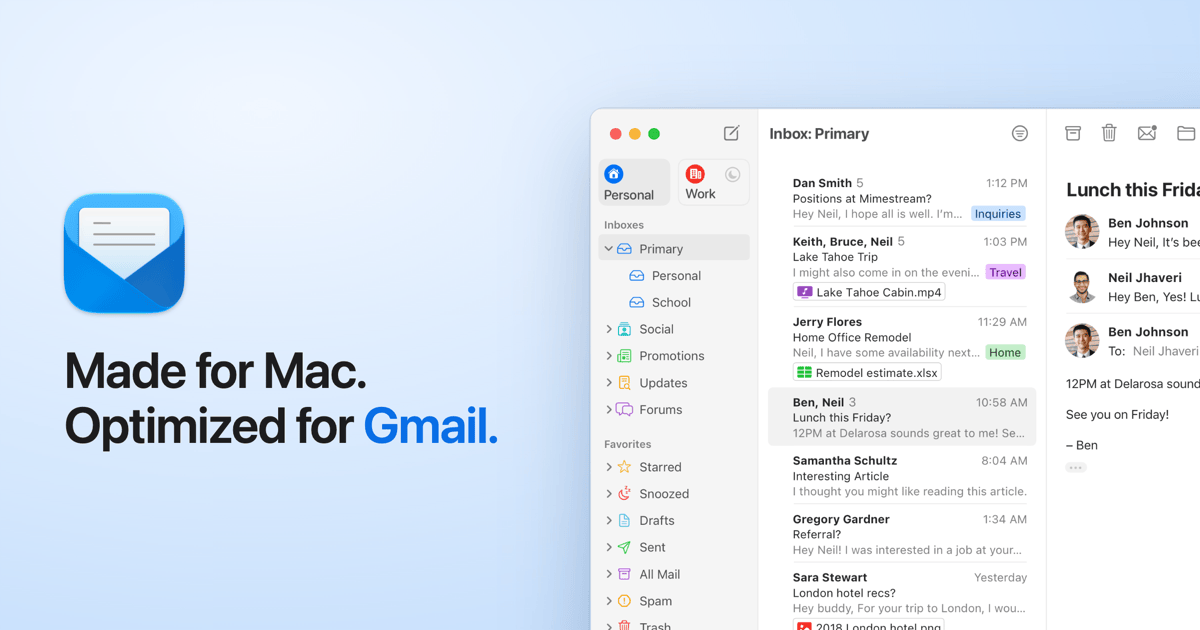
Mimestream
mimestream.comBest forDedicated Mac users who operate exclusively within the Gmail or Google Workspace ecosystems and want a blazing-fast native app.
AI Visibility · how often AI recommends it for this topic
32/ 100
Covered by 4 of 4 AI assistants
- ChatGPT
- Gemini
- Claude
- Google AI
The ultimate native macOS experience. Mimestream is a streamlined email client built exclusively for macOS by a former Apple Mail engineer. Because it was developed using native Apple frameworks rather than heavy web technologies like Electron, it is exceptionally lightweight, battery-efficient, and fast. It feels like a natural extension of the Mac operating system, complete with support for native notifications, dark mode, and system-level shortcuts.<br><br>Direct Gmail API integration. What sets Mimestream apart is its strict reliance on the Gmail API rather than standard IMAP protocols. According to data from mimestream.com, this direct integration allows the app to support Gmail-specific features perfectly—including server-side search, label management, aliases, and categorized inboxes. The synchronization is instantaneous, avoiding the dreaded lag often associated with third-party IMAP clients.<br><br>A highly specialized tool. The app’s greatest strength is also its biggest limitation: it is strictly built for the Apple and Google ecosystems. It requires a paid subscription, works only on Macs, and exclusively supports Gmail and Google Workspace accounts. However, for users entrenched in those specific platforms, it offers a level of stability and performance that generic clients simply cannot match.
What AI consistently says
- +Uses native Gmail API for hyper-reliable syncing
- +Excellent integration with native Mac notifications and features
- +Very fast search performance leveraging Google's servers
- +Highly battery-efficient compared to Electron-based apps
- +Perfectly supports complex Gmail labels and categories
What AI doesn't mention
- −Strictly limited to Gmail and Google Workspace accounts
- −Requires a paid subscription despite its single-platform focus
- −No Windows or Linux versions available
Zoho Mail
zoho.comBest forSmall to medium businesses seeking a reliable, cost-effective, and fully featured alternative to Microsoft 365 or Google Workspace.

AI Visibility · how often AI recommends it for this topic
34/ 100
Covered by 3 of 4 AI assistants
- ChatGPT
- Gemini
- Claude
- Google AI
The definitive enterprise alternative. Zoho Mail is a secure, ad-free business email platform that provides a robust suite of productivity tools specifically designed as an alternative to dominant enterprise giants. It delivers an integrated experience featuring calendars, tasks, notes, and contacts, alongside seamless connections to the broader Zoho ecosystem of CRM and document apps.<br><br>Built for business resilience. As highlighted in resources like the Best Email Hosting Providers for Small Business 2026, Zoho Mail is frequently adopted by organizations seeking to diversify their tech stack. In the wake of widespread Microsoft 365 outages, Zoho provides an independent, highly reliable infrastructure that keeps small to medium businesses online when global providers falter.<br><br>Balancing features and simplicity. Zoho strikes a delicate balance between offering rich enterprise features—like custom domains, administrative control panels, and retention policies—and maintaining an intuitive interface. While it may not have the ultra-premium polish of a boutique client like Superhuman, it offers exceptional value and stability for companies looking to move away from legacy enterprise environments.
What AI consistently says
- +Excellent balance of enterprise features and affordability
- +Strong privacy focus with zero ad-tracking policies
- +Seamless integration with the broader Zoho productivity suite
- +Reliable alternative to Microsoft 365 and Google Workspace
- +Comprehensive administrative controls for small businesses
What AI doesn't mention
- −Interface can feel slightly utilitarian compared to premium design-focused apps
- −Integration with non-Zoho third-party apps can sometimes be clunky
Thunderbird
thunderbird.netBest forPrivacy advocates, Linux users, and technical professionals who demand total control over their email client without subscription fees.

AI Visibility · how often AI recommends it for this topic
29/ 100
Covered by 3 of 4 AI assistants
- ChatGPT
- Gemini
- Claude
- Google AI
Open-source flexibility. Thunderbird is a highly customizable, free email client that serves as the gold standard for open-source communication tools. Maintained by a dedicated community and backed by the Mozilla Foundation, it prioritizes user control, privacy, and extensive customization through a massive library of add-ons and extensions. It runs across Windows, Mac, and Linux, making it a universally accessible option.<br><br>Unrivaled customization. For users who want to meticulously tailor their workflow, Thunderbird is unmatched. You can modify the layout, integrate unique encryption standards, and connect virtually any email provider via IMAP/POP3. As detailed on thunderbird.net, its recent user interface overhauls have modernized its look while retaining the deep configuration options that power users love.<br><br>A slightly steeper learning curve. While it offers immense power, Thunderbird isn't as instantly intuitive as web-based alternatives. Managing add-ons and configuring advanced privacy settings requires some technical comfort. However, for those willing to invest the time, it provides a robust, entirely free offline email experience that is immune to the whims of corporate subscription models.
What AI consistently says
- +Completely free and open-source software
- +Massive library of extensions for deep customization
- +Strong local encryption and privacy standards
- +Cross-platform compatibility (Windows, Mac, Linux)
- +Excellent handling of multiple disparate email accounts
What AI doesn't mention
- −Can feel overwhelming for casual users due to dense settings menus
- −Lacks the instant, cloud-synced ease of modern webmail clients
Spark Mail
sparkmailapp.comBest forAgile teams and busy professionals who want intelligent automatic sorting and collaborative email features.

AI Visibility · how often AI recommends it for this topic
37/ 100
Covered by 3 of 4 AI assistants
- ChatGPT
- Gemini
- Claude
- Google AI
Intelligent email routing. Spark Mail is a widely popular, multi-platform email client designed to intelligently sort incoming messages so users can focus on what matters. Its Smart Inbox feature automatically categorizes emails into Personal, Notifications, and Newsletters, keeping the primary view clean. This makes it an excellent choice for individuals drowning in automated emails and promotional clutter.<br><br>Built for team collaboration. Beyond individual use, Spark has innovated heavily in the collaborative space. Features like shared drafts, private team comments on email threads, and delegation tools make it uniquely suited for small agile teams. According to insights on The 9 Best Email Apps in 2026, Spark effectively bridges the gap between traditional email and modern chat apps like Slack.<br><br>Privacy concerns and premium gates. While the core app is excellent, Spark has faced some scrutiny in privacy-conscious communities because its Smart Inbox features require routing email headers through its own servers. Additionally, many of its most powerful AI and collaboration tools are locked behind a premium subscription, transitioning it from a historically free tool to a monetized productivity suite.
What AI consistently says
- +Smart Inbox excellently filters out noise and newsletters
- +Innovative team collaboration features like shared drafts
- +Cross-platform sync across Mac, iOS, Windows, and Android
- +Built-in AI drafting and summarization tools
- +Intuitive, modern, and highly polished interface
What AI doesn't mention
- −Requires routing some email data through third-party servers for smart features
- −Best features are now gated behind a premium subscription tier
Also considered
Brands AI Didn't Consistently Recommend
While generating consensus data, AI platforms notably omitted or explicitly critiqued several ubiquitous email tools, suggesting that popularity does not always equate to optimal productivity or reliability. Here is why the biggest names were skipped:
- Microsoft Outlook
Despite its massive enterprise market share, AI consistently flags Outlook for its frequent, highly publicized global outages, bloated feature set, and sluggish performance on non-Windows platforms.
- Apple MailAI report
While heavily utilized by default, AI platforms frequently highlight Apple Mail's lack of advanced power-user features, sluggish search indexing on large mailboxes, and overall stagnation in updates compared to nimble competitors like Mimestream.
- Standard Gmail.com WebmailAI report
While highly accessible, the basic browser interface is routinely passed over by AI in favor of dedicated clients because it lacks true offline capabilities, robust multi-account unified inboxes, and keyboard-first navigation workflows.
How to choose
2026 Best Email Clients and Productivity Apps Buying Guide
Choosing the right email client and productivity app in 2026 requires looking beyond default tools and focusing on resilience, speed, and workflow optimization. Here is how to evaluate the critical features that separate the best tools from the rest.
01
How to Maintain Productivity During an Outlook Outage
Have a local-first backup plan. With search trends dominated by questions like 'is outlook still down' and 'microsoft outage today', reliance on a single cloud ecosystem is a massive liability. When Microsoft 365 servers crash, web-based clients become completely inaccessible. To mitigate this, professionals should transition to local-first desktop clients like eM Client or Thunderbird. These applications cache your entire email history onto your physical hard drive.<br><br>Keep working offline. If a global cloud outage severs your connection, a locally cached client allows you to continue reading historical threads, searching complex archives, and drafting replies. Once the servers eventually come back online, the client will automatically batch-send your queued drafts, ensuring that a provider's downtime doesn't completely halt your operational momentum.
02
Local Caching vs. Cloud-Only Email Apps
Understand where your data lives. Cloud-only apps like the standard Gmail interface or the modern web-based Outlook rely on constant server communication to function. Every time you click a folder or run a search, you are waiting for a server ping. Local caching apps, by contrast, download a mirror of your inbox to your device's storage. <br><br>Speed and autonomy. As noted in expert discussions on zdnet.com, local caching not only protects you during internet outages but also drastically improves search speed. Power users managing tens of thousands of emails will find that local indexing allows for instantaneous, highly complex boolean searches that would cause a browser tab to freeze or time out.
03
Privacy-First Alternatives to Big Tech
Stop paying with your data. Free email services from major tech conglomerates often rely on scanning your inbox data to build advertising profiles or train internal AI models. For businesses and privacy-conscious individuals, this is a non-starter. Privacy-first clients and hosts prioritize strict data sovereignty and encryption.<br><br>Look for ad-free business models. Platforms like Fastmail and ProtonMail operate on clear, straightforward subscription models. Because you are paying for the service with currency rather than data, these platforms are financially incentivized to protect your privacy, offering zero-tracking policies and robust security compliance as outlined by EmailAlias.io.
04
AI-Powered Triage and Workflow Speed
Let AI filter the noise. The modern inbox is flooded with automated notifications, newsletters, and low-priority CCs. AI-powered clients like Superhuman and Spark Mail use advanced algorithms to categorize incoming mail, ensuring that human-to-human communications always hit your primary view first.<br><br>Accelerate your drafting. Beyond sorting, 2026's top productivity apps utilize on-device or secure-cloud AI to summarize long email chains and suggest context-aware replies. When evaluating these tools, ensure you check their privacy policies to confirm that your sensitive business data isn't being ingested to train public AI models without your consent.
05
Unified Inboxes for Freelancers and Small Teams
Manage multiple identities seamlessly. Freelancers, agency workers, and small business owners rarely operate out of just one email address. Constantly logging in and out of different webmail tabs destroys productivity. A robust unified inbox client allows you to aggregate Gmail, Microsoft 365, and custom IMAP accounts into a single, cohesive feed.<br><br>Keep streams organized. The best tools, highlighted in resources like Mailyond, allow you to view all incoming mail in a master inbox while maintaining strict separation for outgoing mail signatures and server routing, ensuring you never accidentally reply to a corporate client from a personal alias.
06
Native macOS vs. Cross-Platform Desktop Apps
Electron apps drain resources. Many modern cross-platform email apps are built using web-wrapper frameworks like Electron. While this allows developers to push updates quickly to Windows, Mac, and Linux simultaneously, these apps are notoriously heavy on RAM and battery life. <br><br>The native advantage. If you operate strictly on a Mac, opting for a natively coded app like Mimestream provides a massive performance boost. Native apps integrate flawlessly with the operating system's built-in APIs, resulting in whisper-quiet battery consumption, instant wake-from-sleep functionality, and seamless integration with system-level focus modes and notifications.
Common questions
Frequently Asked Questions
What is the most hacked email service?
Free, legacy consumer email services like older Yahoo and Hotmail accounts historically suffer from the highest volume of compromised credentials due to poor default security settings and massive data breaches in the past. To ensure safety, security experts strongly advise using modern platforms that enforce two-factor authentication (2FA) and using dedicated privacy-focused hosts rather than legacy consumer domains.
How to improve email productivity?
The fastest way to improve email productivity is to adopt a keyboard-first email client like Superhuman and implement strict Inbox Zero methodologies. Stop using your inbox as a to-do list; instantly archive, delete, or delegate emails, and rely on robust local search features to find historical data rather than organizing complex folder hierarchies.
What is the best free email app for PC?
Thunderbird is widely considered the best free email app for PC. It is completely open-source, highly customizable, and robust enough to handle massive local email caches without charging subscription fees or displaying invasive advertisements.
Which is safer, Gmail or Outlook?
Both Gmail and Outlook offer enterprise-grade security, including advanced phishing protection, hardware security key support, and encrypted transit. However, Gmail is generally considered slightly more secure out-of-the-box due to Google's highly aggressive automated spam filtering and proactive security alerts, whereas Outlook requires more careful configuration by enterprise administrators.
Why is Microsoft Outlook down so often recently?
Recent widespread Microsoft Outlook outages have been attributed to a combination of misconfigured global cloud network updates, DNS routing issues, and massive server load strains. Because Microsoft 365 relies on deeply interconnected cloud infrastructure, a single bad deployment in Azure can cascade, causing global login failures for Outlook and Teams.
Can I check my email if Microsoft 365 is down?
If you exclusively use the Outlook.com web interface, you cannot access your emails during a Microsoft outage. However, if you use a local-caching desktop client like eM Client or Thunderbird synced via IMAP/Exchange, you can still view, search, and read all previously downloaded emails while offline.
What caused the recent Microsoft global outages?
While conspiracy theories often point to cyber attacks, official Microsoft post-mortem reports confirm that recent massive outages were primarily caused by flawed internal software updates pushed to Azure cloud load balancers and third-party security software conflicts (such as CrowdStrike), which severely disrupted network traffic routing to Microsoft 365 services.
Is there a true offline email client available?
Yes. Desktop applications like eM Client, Thunderbird, and Apple Mail function as true offline email clients. They download and store your complete email database locally on your hard drive, allowing you to search, read, and draft new messages without any active internet connection.
Behind the data
How We Researched This
AI Platform Responses
AI Platforms
Brands Ranked
Date
To determine the best email clients and productivity apps of 2026, Pendium Research conducted a rigorous, cross-platform AI analysis to strip away individual reviewer bias and uncover true industry consensus. Our methodology focuses on data-driven synthesis rather than subjective, hands-on testing by a single editor.
First, we ran a series of topic-specific queries across the four major AI engines: ChatGPT, Claude, Gemini, and Google AI Overviews. These platforms function as massive synthesis engines, pulling insights from millions of web pages, expert reviews, Reddit threads, and technical forums. By asking these AI systems to recommend the most reliable, secure, and performant email tools—especially in the context of avoiding massive enterprise cloud downtime—we gathered a broad dataset of brand mentions.
Next, we normalized the data. We tracked how often each brand was mentioned, mapping disparate product names (e.g., 'Google Workspace' vs 'Gmail') into clear, unified brand entities. We then analyzed the sentiment of each mention, verifying that a brand was being actively recommended rather than just cited as a flawed example. The resulting consensus across our analysis clearly highlighted which tools the internet collectively trusts most.
Finally, we layered in per-brand Visibility Scan Previews. For every brand that surfaced in the initial AI sweep, we analyzed the specific features, technical infrastructure, and target demographics the AI consistently praised. This allowed us to categorize brands accurately into distinct use cases—such as 'Best for Mac', 'Best for Offline Use', or 'Best Open-Source'. This systemic approach ensures that our editorial recommendations are grounded in verifiable, cross-platform agreement, providing readers with the most objective and comprehensive buying advice available.
AI knows them, Google doesn't
Diamonds in the Rough
These brands are consistently recommended by AI assistants but rarely appear in traditional Google search results, a sign the market may be shifting before search rankings catch up.
Mentioned 2x across 2 AI platforms with near-unanimous positive sentiment — and when AI does bring them up, they rank in the top 3 on average. An under-the-radar pick worth investigating.
Mentioned 3x across 3 AI platforms with near-unanimous positive sentiment — and when AI does bring them up, they rank in the top 3 on average. An under-the-radar pick worth investigating.
Mentioned 4x across 3 AI platforms with near-unanimous positive sentiment — and when AI does bring them up, they rank in the top 4 on average. An under-the-radar pick worth investigating.
Mentioned 6x across 4 AI platforms with near-unanimous positive sentiment — and when AI does bring them up, they rank in the top 4 on average. An under-the-radar pick worth investigating.
Mentioned 2x on one AI platform with near-unanimous positive sentiment — and when AI does bring them up, they rank in the top 5 on average. An under-the-radar pick worth investigating.