Turn your AI agent into a content engineering machine.
Ground your agent in continuous AI visibility monitoring. Arm it with your brand voice, knowledge base, and a pipeline of content ideas that close real gaps in AI conversations.
Add Pendium as a custom connector in your AI agent
https://pendium.ai/api/mcpThen add the connector above and authorize with your account when your agent prompts you. No API key needed.
// PENDIUM — AI Visibility + Content Engineering MCP
//
// Pendium tracks how ChatGPT, Claude, Gemini, Perplexity, Grok, DeepSeek, and
// Google AI Overviews perceive, mention, and recommend brands — then helps you
// close the gaps. This one server gives your agent 80+ tools across six areas,
// so it can go from "how do AI platforms see us?" all the way to editing and
// publishing the content that changes the answer.
//
// WHAT YOUR AGENT CAN DO:
//
//   VISIBILITY        See how every AI platform ranks and describes you.
//     scan_visibility, get_scan_status, get_report, get_recommendations,
//     complete_action, get_scan_history, get_cited_sources,
//     lookup_brand_score (free, no auth), trigger/get_visibility_scan_preview
//
//   CONTENT STRATEGY  The brand context every good draft needs.
//     get_goals, create_goal, get_brand_voice, get_factsheet,
//     get_company_profile, analyze_url
//
//   POSTS             Edit, schedule, and publish the brand's blog posts.
//     list_blog_posts, get_blog_post, update_blog_post, regenerate_blog_post,
//     publish_blog_post, schedule_blog_post
//
//   AGENT SITE        Build and publish pages on the brand's hosted site.
//     create_site_page, publish_site_page, get_site_status,
//     generate_service_area_pages, set_site_public
//
//   KNOWLEDGE         Ground writing in real brand facts.
//     query_knowledge, list_knowledge_sources
//
//   CONFIGURATION     Tune the scans and manage the account.
//     get_account, add_visibility_topic, add_visibility_persona, set_language
//
// Full tool reference: https://pendium.ai/docs/tools
// Every response includes a _pendium field with context and next steps, so your
// agent can discover the rest of the tools and work out the workflow itself.
//
// SETUP — works with Claude Code, Cursor, Windsurf, and any MCP-compatible agent.
// Authentication is handled automatically via OAuth — you'll sign in with your
// Pendium account when you first connect.
//
// Add the JSON below to your agent's MCP config file:
//   Cursor:      ~/.cursor/mcp.json
//   Claude Code: ~/.claude.json (or run: claude mcp add pendium)
//   Windsurf:    ~/.codeium/windsurf/mcp_config.json
//   Claude Desktop: ~/Library/Application Support/Claude/claude_desktop_config.json

{
  "mcpServers": {
    "pendium": {
      "command": "npx",
      "args": ["-y", "mcp-remote", "https://pendium.ai/api/mcp"]
    }
  }
}

// After adding, restart your agent (reload window in Cursor, restart CLI for Claude Code).
//
// INSTALL WORKFLOW SKILL (optional — teaches your agent Pendium best practices):
//   Claude Code:  mkdir -p ~/.claude/skills/pendium && curl -sL https://pendium.ai/skills/pendium/SKILL.md -o ~/.claude/skills/pendium/SKILL.md
//   Cursor:       mkdir -p ~/.cursor/skills/pendium && curl -sL https://pendium.ai/skills/pendium/SKILL.md -o ~/.cursor/skills/pendium/SKILL.md
//
// Then ask: "Scan AI visibility for https://your-website.com and show me the gaps"
New to MCP? Let your agent set it up.
Paste this prompt into Claude Code, Codex, Cursor, or another agent that can edit its own settings. It adds the connector, walks you through signing in, and tells you which brands are on your account and what it can do for them. On Claude.ai or ChatGPT, add the connector URL above instead.
See the prompt
Set up the Pendium MCP server for me so you can use its tools.

Pendium is a remote MCP server that gives you AI-visibility and content tools for a brand.
- Server URL: https://pendium.ai/api/mcp
- Transport: streamable HTTP
- Auth: OAuth, no API key. I'll sign in with my Pendium account in the browser when you prompt me.

Add it to your MCP configuration using whatever is correct for the agent you are:
- Claude Code:  claude mcp add --transport http pendium https://pendium.ai/api/mcp
- Codex CLI:    codex mcp add pendium --url https://pendium.ai/api/mcp   (then: codex mcp login pendium)
- Cursor:       add "pendium": { "url": "https://pendium.ai/api/mcp" } to ~/.cursor/mcp.json
- Windsurf:     add "pendium": { "serverUrl": "https://pendium.ai/api/mcp" } to ~/.codeium/windsurf/mcp_config.json
If your client can't connect to a remote MCP server directly, use the bridge: npx -y mcp-remote https://pendium.ai/api/mcp

Then walk me through the OAuth sign-in. Once connected, call the get_account tool and tell me which brands and plan are on my account and what you can help me do next.
See live examples
Everything it needs to get you recommended.
Your agent sees how every AI platform perceives you
Detailed scores across ChatGPT, Claude, Gemini, Grok, Perplexity, DeepSeek, and AI Overviews — broken down by customer persona, topic, and query. Your agent knows exactly where you're strong, where you're weak, and where you're invisible.
Get a backlog of content ideas grounded in real data
Your agent pulls strategic content goals and specific content pitches generated from your visibility scan. Each idea targets a real gap in AI conversations — not keyword guesses. Unused ideas are prioritized so your agent always knows what to write next.
Write on-brand content every time, automatically
Your agent gets your full brand voice — tone traits, style guide, writing examples, and company profile. When it creates content from visibility insights, it writes in your voice with your positioning, not generic AI copy.
See who AI recommends instead of you
For every query your customers ask, your agent sees which competitors get mentioned, how often, and on which platforms. It uses this to identify what they're doing differently and where you can overtake them.
Prioritized actions your agent can execute on
Scan recommendations become prioritized action items — content to create, sources to reach out to, technical improvements to make. Your agent filters by priority and status, works through the list, and marks items complete as it goes.
Ground every piece of content in real brand facts
Your agent searches semantically across your brand's knowledge base — website content, uploaded documents, and training materials. When it writes, it pulls real claims, product details, and positioning language so nothing is hallucinated.
Measure the impact of every piece of content
Historical scan data shows how your AI visibility changes over time. Your agent tracks whether content is moving the needle, which platforms are responding, and whether competitors are gaining or losing ground.
From connector to content, in one loop.
Add the connector to your agent
Pick your agent, copy the snippet, and add Pendium's MCP server as a custom connector. Sign in once with your account to authorize — your agent now has access to Pendium's visibility API. The whole setup takes ten seconds.
Ask about your brand in plain English
"How do AI platforms see my brand?" — your agent calls Pendium, gets structured visibility data, and reports back in context. No API docs to read, no syntax to learn.
Pendium scans across every major AI platform
Real buyer personas run real queries across ChatGPT, Claude, Gemini, and AI Overviews. Your agent gets back scores, gaps, competitor mentions, and cited sources — everything it needs to act.
Your agent identifies what to create
Using the visibility data, your agent pinpoints the topics and angles where you're missing from AI conversations. It suggests content that targets real openings — not keyword guesses.
Create and publish content that closes the gaps
Your agent drafts site pages and refines posts grounded in real visibility intelligence, then schedules and publishes them, either to your Pendium-hosted site or straight into the tools you already use. Content designed to help AI platforms understand your business and recommend you.
Monitor continuously, improve continuously
Set up recurring scans so your agent always has fresh data. When visibility shifts — a competitor gains ground, a platform changes behavior — your agent catches it early and adapts.
Drop the Pendium skill into your coding agent.
For Claude Code and Cursor, install the Pendium skill so your agent always knows how to run a full content-engineering workflow — scan, analyze, and create — without prompting.
Claude Code
~/.claude/skills/pendium/SKILL.mdCursor
~/.cursor/skills/pendium/SKILL.mdGive your agent AEO superpowers.
Without visibility data, your agent is writing into the void. It doesn’t know where AI platforms are sending people instead of to you, which topics you’re invisible on, or whether last month’s content moved the needle at all.
Pendium gives your agent a continuous feed of what’s working, what’s not, and where the gaps are — so every piece of content it creates is aimed at a real opening in the conversation, not a best guess.
Without Pendium
- Agent writes content based on keyword research and best guesses
- No idea what AI platforms actually say about you
- Content may be great but invisible to AI agents
- No brand voice consistency, no knowledge grounding
- Reactive — you find out you're missing after the fact
With Pendium
- Agent writes content grounded in real AI visibility data
- Knows exactly where you're strong, weak, and missing
- Content targets the specific gaps in AI conversations
- Writes in your brand voice, grounded in your knowledge base
- Proactive — continuous monitoring and trend tracking catches shifts early
Know the moment a competitor overtakes you
Set up recurring scans and your agent gets a continuous feed of how AI platforms perceive your brand. When visibility shifts — a competitor gains ground, a new platform emerges — your agent catches it and adapts your content strategy automatically.
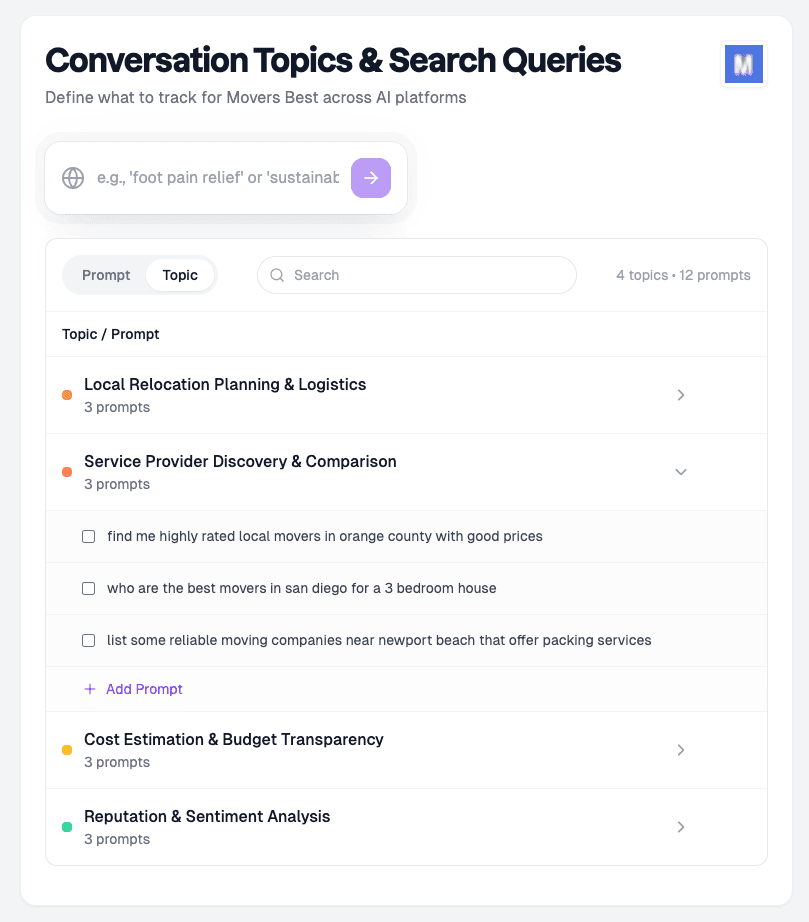
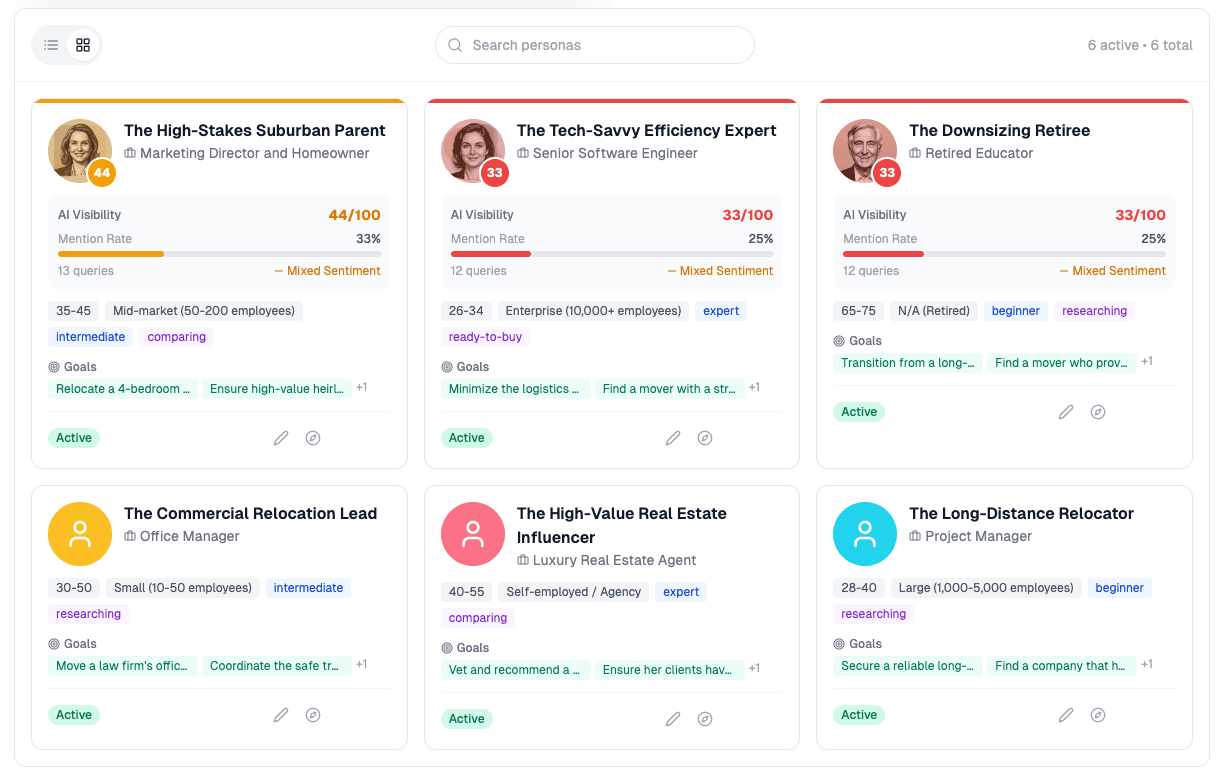
Define custom personas that map to your real customer archetypes
A price-conscious shopper asks differently than an enterprise buyer. Pendium simulates real customer personas and runs their actual queries — so your agent sees how AI responds to every type of buyer in your category, not just generic searches.
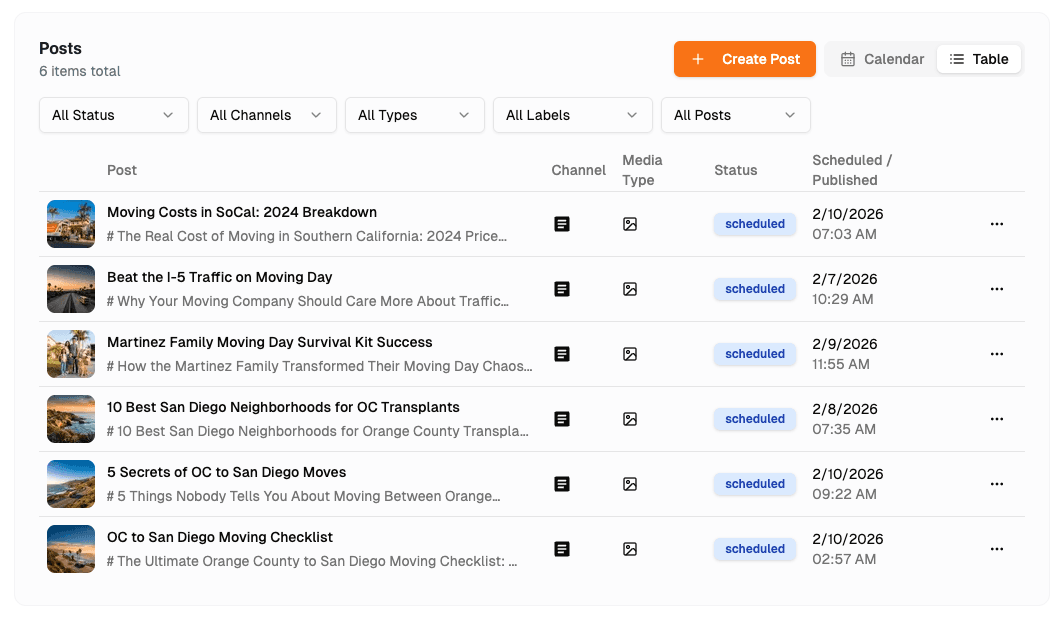
Publish content that actually moves the needle
Your agent doesn't guess what to write. It uses visibility data to identify the specific topics, angles, and platforms where you're missing from AI conversations — then creates content designed to close those gaps and get you recommended.
Questions, answered.
What is this, exactly?
Do I need to learn an API to use this?
Which agents does this work with?
Do I need an API key to start?
What can my agent actually do with Pendium?
What AI platforms does Pendium monitor?
How is this different from just asking my agent to search the web?
Does Pendium create the content too, or just the strategy?
How does the brand voice feature work?
Start in 30 seconds.
Add the connector, sign in with your account, and ask your agent about your brand. Your agent handles the rest.